
Review your lectures.
Come back when they’re due.
Passal schedules each flashcard from your review history and the grade you give your latest attempt. This guide follows one lecture card through review, source checking and a later recall, then explains what changes when you add an exam or import Anki cards.
How do I review a lecture card?
- Open Today. Find the cards due in your course and start the review set. Today also shows your next exam when you have one entered.
- Try the question before revealing the answer. Make an attempt from memory, then compare it with the answer.
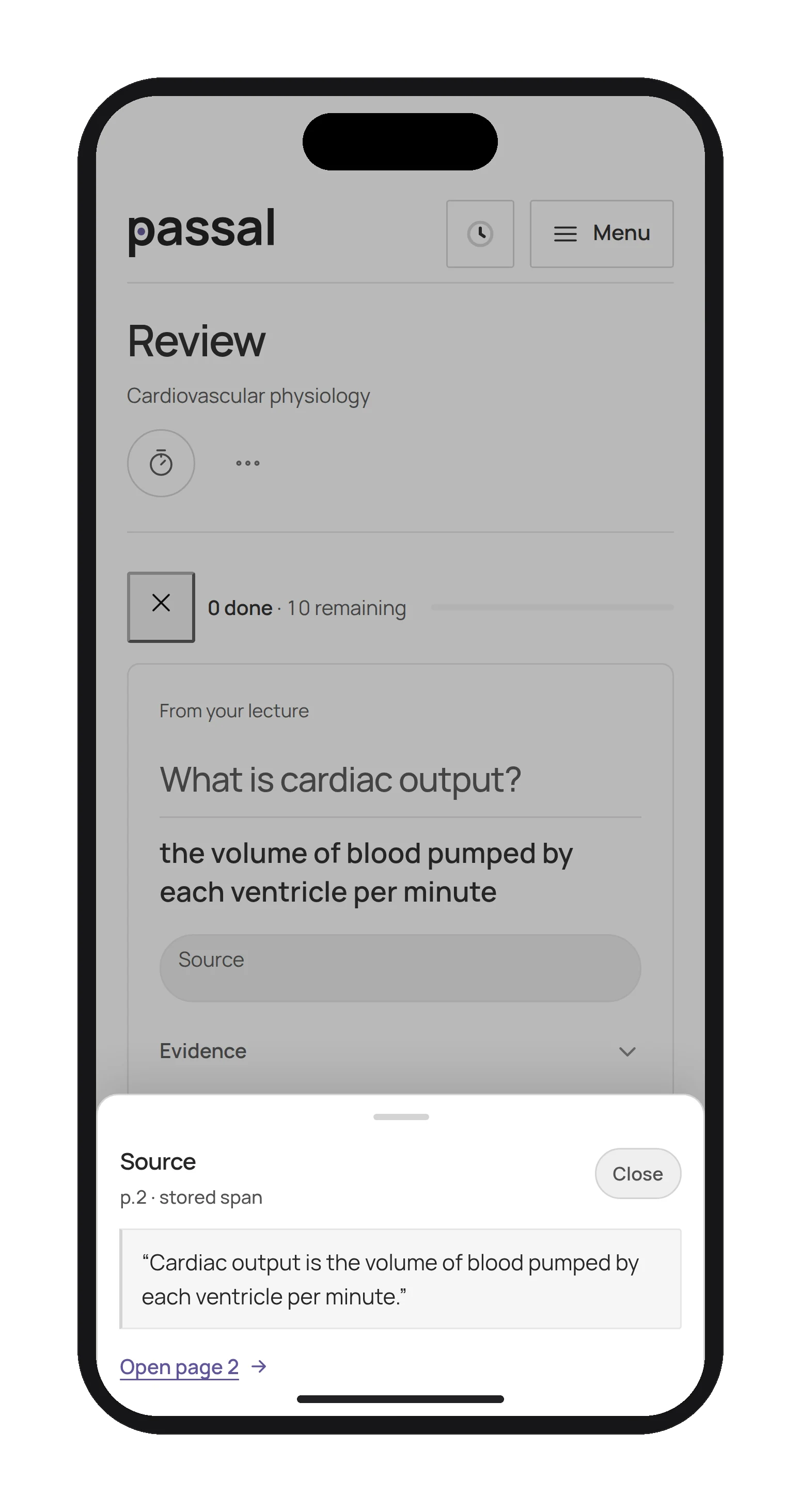
- Check the lecture when you need it. The source on a generated lecture card opens the quote and a link to the relevant page. Use it to inspect the support for the card.
- Grade the attempt honestly. Choose Again, Hard, Good or Easy. Passal uses that grade and the card’s existing review state to set its next due time.
What do Again, Hard, Good and Easy mean?
- Again: you did not recall the answer. Passal records a miss.
- Hard: you recalled it with effort. Hard counts as recall, rather than a miss, in Progress.
- Good: you recalled the answer and choose the regular successful-recall grade.
- Easy: you recalled it easily. If you viewed the source evidence before the answer, Easy is unavailable; choose Good or lower.
Use the buttons, keyboard shortcuts or swipe controls to grade. There is no fixed interval attached to each label: the next due time depends on the card’s history and the scheduling calculation.
What happens after a miss?
A card graded Again or a quiz question answered incorrectly opens a Recovery item under Progress. Getting it right immediately is useful practice, but Recovery waits for a qualifying recall on a later study day.
For a card, that recall must be without the hint and on schedule. A hinted answer or an early review does not establish that the card held. A correct quiz answer on a later study day can recover a missed question. If you miss an item again after recovery, it opens another recovery episode.
Treat Recovery as a record of your own attempts. A recovered item describes what happened in practice; it does not establish exam readiness.
How can I use Today and Progress together?
- Start with what is due. Use Today to open the review set for your course.
- Return to the lecture for a recurring miss. Check the source line, then read the surrounding material so you understand what you are practicing.
- Check Recovery on a later day. Give missed items another unaided attempt when they are due, rather than treating a same-session correct answer as evidence they held.
- Check your course plan too. Compare the material you practiced with your syllabus and what your instructors emphasize. Add study time for topics that are not represented by your cards.
Does adding an exam date change my reviews?
A date entered on a course appears as a countdown in Today; entering that date alone does not change card schedules.
For calendar-based scheduling, tag and confirm an upcoming exam event in your linked calendar and assign it to the course. Passal can move that course’s eligible lecture-card reviews earlier so they land before the exam. Reviews already due remain due, and reviews already scheduled before the exam cutoff need no change.
Confirm the event and course association in Calendar. The calendar adjustment changes due dates; it does not add missing course content or certify that you have prepared enough.
How are imported Anki cards scheduled?
Preview the deck before confirming an Anki import. New imported cards start a fresh Passal schedule; Anki due dates and review history do not become the Passal schedule. You can keep an Anki history copy as metadata, and existing Passal schedules are kept on reimport.
You can review imported cards alongside your lecture cards in Passal. The import does not change the deck in Anki, and Passal does not currently export cards back to Anki.
Give one lecture a review routine.
Inspect the cards, make an honest first attempt, then return when they are due. Try Passal for 14 days with no credit card; it is $8 per month in USD, plus applicable tax, after the trial.
Start freePassal is a study app — built for med school. Product guide by Passal, not medical review. Report a correction.
$8 per month after a 14-day free trial; no credit card needed to start. Supported sources and limitations · Privacy and connected services.